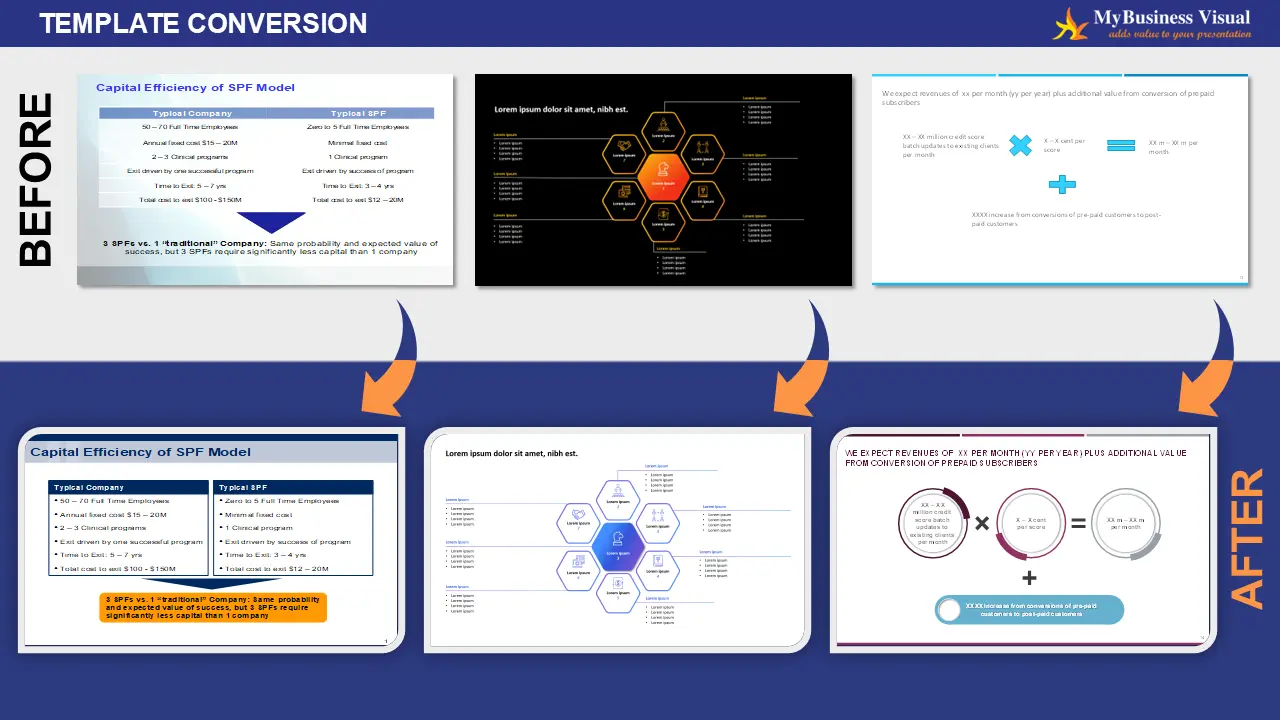
Template conversion refers to the process of adapting existing presentation content of PowerPoint slides into a New Design Template or Destination template that aligns with updated branding, corporate guidelines, or client-specific standards.
Updating colors, fonts, layouts, and visual elements to match the new template’s branding and style guide.
Ensuring uniform headers, footers, margins, and design elements across all slides for a cohesive look.
Incorporating specific fonts and design assets from the new template—especially when custom or licensed fonts are used.
Converting charts and tables to match the new visual format, often using tools like Thinkcell or native PowerPoint features.
Improving slide aesthetics where possible—unless the client requests a strict template-only conversion.
Streamlined workflows allow for quick turnaround while maintaining quality and accuracy.
Discover why business leaders choose MyBusiness Visual for fast turnaround, exceptional quality, and presentation designs that make an impact.
Yes, we convert all slides into the latest design template, fully aligned with client brand guidelines.
To carry out template conversion, we typically require the source presentation file along with the target design template. If available, brand guidelines for the new template should also be shared to ensure visual alignment. Additionally, if the target template uses specific or non-standard fonts, the corresponding font files must be provided to maintain consistency.
Slide enhancement during template conversion is typically based on the client’s preference. In general, we proactively improve slide visuals wherever possible to enhance clarity and impact. However, if a client specifically requests template conversion only, we strictly adhere to the provided guidelines without introducing additional design changes.